
Camelo Review 2026: Shift Scheduling Priced by Team Size
What Camelo's Free, Pro and Premium plans cost for teams of 20, 50 and 100, and how that bill compares with When I Work, Sling, Homebase and Connecteam.

Camelo is worth it in 2026 for a shift team of roughly 11 to 50 people: Pro costs $29 a month on monthly billing for the first 30 members, then $3.5 for each extra member. By our arithmetic that bundle stays cheaper than Sling Premium up to 50 staff and When I Work Essentials up to 75. Past those points the per-member charge takes over, so a 100-person team pays more on Camelo Pro than on either rival's paid entry plan. Teams of 10 or fewer can stay on the Free plan.
Key factsBest for: Single-site shift teams of 11 to about 50 people that want…
- A scheduling, time clock and team chat app priced as a 30-member bundle plus a per-member charge.
- Free plan: Up to 10 members and 1 schedule
- Pro at 100 staff: $274 a month on monthly billing, by our arithmetic
- Free trial: 14 days of Premium features, no credit card
- Annual billing: Advertised as saving 17%
Pros
- Pro covers the first 30 members for one fee, so a 20-person team pays only the base price.
- The 14-day trial opens every Premium feature and asks for no credit card.
- Overtime and time off policies on Premium keep HR rules inside the scheduler.
Cons
- Each member above 30 adds a charge on Pro, so a 100-person team pays more than on Sling or When I Work.
- Job sites cost $1.9 each per month on Pro and Premium, which adds up for multi-client crews.
- Free is capped at 10 members and one schedule, and data over the limits is archived after the trial.
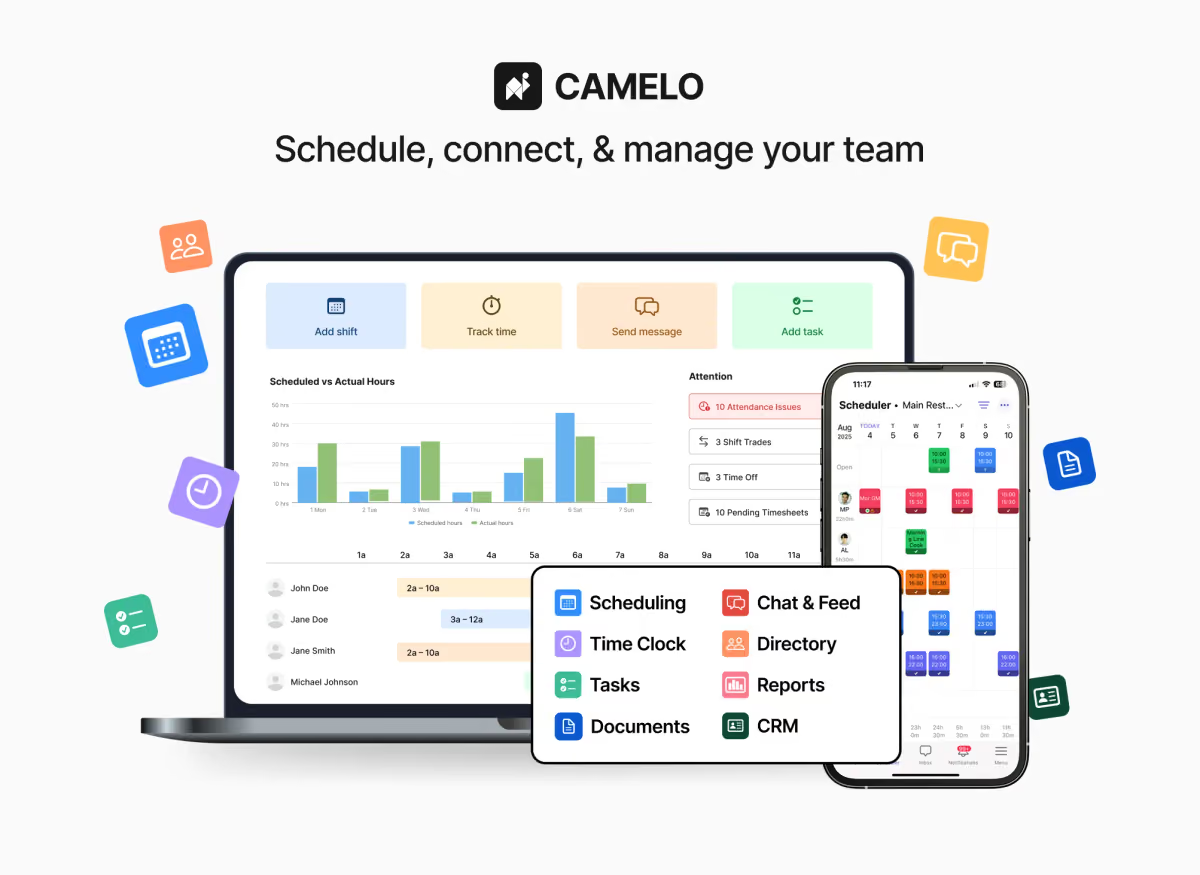
Camelo prices like a bundle, not a per-seat tool, and that one choice decides whether it is cheap or expensive for your headcount. The first 30 members ride on one flat monthly fee, after which every extra person adds a fixed charge. For a restaurant, salon or cleaning crew in the 15 to 40 range, that structure is hard to beat. For a 100-person operation, the arithmetic turns against it.
Toolradar data: Toolradar, the software directory we run, evaluated 115 time tracking tools for its ranking updated on November 8, 2026, and 7 of the 10 tools it lists there have a free plan. Camelo's Free plan puts it with that majority, but the cap is tight: 10 members and one schedule. The time tracking ranking shows the wider field, and our shift scheduling ranking covers the paid leaders.
What is Camelo?
Camelo is employee scheduling and team management software from Camelo LLC, which lists its addresses in Wilmington, Delaware. One app covers shift scheduling, a time clock, timesheets, team chat, task lists and document storage, on the web, iOS and Android. Camelo says more than 10,000 workplaces use it, and its industry pages range from barber shops and caregiving to construction and security.
The product sits between a basic rota app and a full workforce suite. Shift templates, recurring shifts, shift trading and open-shift claims are all part of the scheduler. The time clock feeds timesheets, and Premium adds the policy layer HR teams care about: overtime rules, time off policies, labor forecasting and a payroll integration. The pricing page lists a payroll integration rather than payroll processing, so plan for a separate payroll provider.
How Camelo works
A manager builds the schedule by drag and drop or from templates, publishes it, and staff see their shifts in the mobile app. Each shift carries a status (confirmed, rejected, ongoing or done), so a manager can see who acknowledged the rota without chasing texts. Staff can swap or offer shifts and claim open ones, with an approval step for open shifts, and availability and time-off requests feed the same screen.
Clocking in happens on the time clock, attendance alerts warn managers about problems, and timesheets collect the hours for payroll. Pay rates and budgeting tools put a labor cost on the schedule, so a manager can see what a week costs before publishing it. Team chat, a news feed with read receipts and task lists replace the group text most small teams run on.
Job sites are the add-on to watch. Pro and Premium charge $1.9 per active job site per month, while Enterprise includes them without limit. A cleaning or security firm that tracks work by client address should count its active sites before comparing Camelo with flat-fee rivals.
Camelo key features
Camelo pricing
Methodology: every Camelo price here was read on Camelo's pricing page and checked on November 9, 2026, in US dollars, with the monthly billing toggle selected. Team totals are our arithmetic: the plan's base fee covers the first 30 members, and each member above 30 adds the printed per-member charge. Rival prices come from their own pages on the same day: When I Work, Sling, Homebase and Connecteam.
Camelo has four plans. Free costs nothing for up to 10 members and one schedule. Pro is $29 a month for the first 30 members, then $3.5 per extra member. Premium is $99 a month for the first 30, then $4.5 per extra member. Enterprise is a custom quote, billed annually. The annual toggle is advertised as saving 17%; check the exact annual figure on Camelo's site before you commit. Sales tax is extra where it applies, and payment is online only, by Visa, Mastercard, American Express or PayPal.
Our cost model, monthly billing, one location: at 20 staff each plan costs only its base fee, because both sit inside the 30-member bundle. At 50 staff Pro climbs to match Premium's base fee, and Premium reaches $189. At 100 staff Pro reaches $274 and Premium $414. The per-member step drives the jump. Pro's extra members cost more each than a Sling Premium or When I Work Essentials user, so the bundle's head start runs out: by our arithmetic Camelo Pro stays cheaper than Sling Premium up to 50 staff, than When I Work Essentials up to 75 and than Connecteam Operations Advanced up to 89, all on monthly billing.
Against the rivals at the same three sizes, by our arithmetic: When I Work Essentials at $2.50 per user per month comes to $50, $125 and $250, before its Time Tracking and Attendance add-on, which is priced separately on its page. Sling is free for up to 30 users; Premium at $2.00 per user per month on monthly billing comes to $40, $100 and $200. Connecteam's Operations Hub Advanced, billed monthly, is $59 for the first 30 users plus $3.0 per extra user, so $59, $119 and $269. Homebase charges per location with unlimited employees: Essentials is $30 a month on monthly billing at any of the three sizes.
Two terms change the real cost. The 14-day trial gives every Premium feature with no card, and if you pick no plan, the account drops to Free and data beyond the Free limits is archived until you upgrade. The FAQ promises plan changes at any time only for monthly payers, so an annual commitment is the less flexible choice.
| Plan | Price | Best for |
|---|---|---|
| Camelo Free | $0 | Up to 10 members, 1 schedule, 5GB documents, most scheduling and chat features |
| Camelo Pro | $29/mo for the first 30 members, then $3.5 per extra member | Unlimited schedules and members, advanced scheduling and time tracking, availability and time off, 50GB |
| Camelo Premium | $99/mo for the first 30 members, then $4.5 per extra member | Pro plus payroll integration, labor forecasting, overtime and time off policies, 500GB |
| Camelo Enterprise | Custom, billed annually | Premium plus custom implementation, high-volume usage and a dedicated success manager |
| Camelo job sites add-on | $1.9 per active job site per month | Applies on Pro and Premium; unlimited on Enterprise |
| When I Work Essentials | $2.50/user/mo | Scheduling, auto scheduling, messaging and shift swaps; time tracking is an add-on |
| Sling Premium | $2.00/user/mo monthly, $1.70 annually | Mobile time tracking, labor cost and overtime tracking; Free covers up to 30 users |
| Homebase Essentials | $30/location/mo monthly, $24 annually | Unlimited employees, advanced scheduling and time tracking, team communication |
| Connecteam Operations Advanced | $59/mo monthly or $49/mo yearly for 30 users, then $3.0 or $2.5 per user | Time clock, scheduling with templates, geofences and forms; free for up to 10 users |
Camelo pros and cons
What we like
- Pro covers the first 30 members for one fee, so a 20-person team pays only the base price.
- The 14-day trial opens every Premium feature and asks for no credit card.
- Overtime and time off policies on Premium keep HR rules inside the scheduler.
What could be better
- Each member above 30 adds a charge on Pro, so a 100-person team pays more than on Sling or When I Work.
- Job sites cost $1.9 each per month on Pro and Premium, which adds up for multi-client crews.
- Free is capped at 10 members and one schedule, and data over the limits is archived after the trial.
Who Camelo is for
Camelo Pro fits a single-site shift team of 11 to about 50 people that wants scheduling, time clock and chat in one app. In that range the bundle keeps the bill flat while per-user rivals climb with every hire, and the 14-day Premium trial needs no card. Premium earns its higher bundle for HR teams that want overtime and time off rules enforced in the app, since those are the features Pro lacks. Teams of 10 or fewer should start on Free and move up only when they outgrow one schedule.
Skip Camelo if you run 100 or more hourly staff on one simple rota, because the per-member charge after 30 makes it pricier than Sling or When I Work. Skip it too if you are a single location of any size that wants a flat fee: Homebase charges per location with unlimited employees. For a team under 30 that only needs a rota, Sling's free plan may be enough. Our free scheduling apps ranking covers the no-cost options, and our 7shifts review covers a restaurant-specific alternative.
Best Camelo alternatives
If Camelo is not the right fit, these are the closest options.
| Tool | Best for | Starts at | |
|---|---|---|---|
| Camelo | Single-site shift teams of 11 to about 50 people that want scheduling, time clock and chat bundled. | Free for 10 members | Visit → |
| When I Work | Larger hourly teams that want per-user pricing and auto scheduling on the entry plan. | Essentials $2.50/mo per user · Pro $5/mo per user · Premium $8/mo per | Visit → |
| Sling | Small teams that need a free rota for up to 30 people, or large teams wanting low per-user rates. | Free plan · Premium $2/mo per user · Business $4/mo per user | Visit → |
| Homebase | Single-location businesses of any size that want a flat fee with unlimited employees. | Free plan · Essentials $30/mo · Plus $70/mo · All-in-One $120/mo | Visit → |
| Connecteam | Field and deskless teams that want forms, geofenced clock-in and scheduling in one app. | Free plan · Operations Hub Basic $29/mo on the annual plan · Operation | Visit → |


The bottom line
Camelo is worth it for shift teams of roughly 11 to 50 people, where its 30-member bundle beats per-user pricing. Pro at that size costs less than the paid plans of When I Work, Sling or Connecteam, and the free trial is long enough to run two full rota cycles. The value fades with scale: from about 50 members the per-member charge overtakes Sling, from about 75 it overtakes When I Work, and at 100 staff a per-location plan like Homebase is far cheaper. Count your job sites too, because the per-site charge is easy to miss.
If you outgrow the bundle, compare Sling and When I Work for per-user rates, or Homebase for a flat per-location fee. Connecteam is the closest like-for-like if you also need forms and geofencing. For deeper price breakdowns, read our Sling pricing, When I Work pricing and Connecteam pricing guides, or the Connecteam review.
Cite this: HRpresso, "Camelo Review 2026: Shift Scheduling Priced by Team Size", November 2026.
Frequently asked questions
Is Camelo worth it for employee scheduling in 2026?
How much does Camelo cost?
What does Camelo cost for 20, 50 and 100 employees?
Does Camelo have a free plan or free trial?
Is Camelo cheaper than When I Work or Sling?
Does Camelo run payroll?
Sources
Prices and plan details come from each vendor's own pricing page, re-checked by the Toolradar pricing tracker.
- When I Work pricingchecked Sep 2026
- Homebase pricingchecked Sep 2026
- Connecteam pricingchecked Sep 2026
Some offers on this page may be paid placements or contain affiliate links.
More HRpresso reviews
Buyer guides and software reviews, with prices read from each vendor's own pricing page.
Browse all reviews