
When I Work Review 2026: Pricing, Pros, Cons and Alternatives
Essentials, Pro and Premium prices from the vendor's own page, what each tier bundles, and the multi-site rate its FAQ and plan list disagree on.

When I Work is worth it in 2026 for a shift team that wants scheduling and messaging on a per-person bill. Essentials is $2.50 per user per month with unlimited users, read on the vendor's pricing page on 10 October 2026. Pro is $5 and Premium is $8, and there is no free plan, only a 14-day trial that needs no card.
The number to settle first is the multi-site rate. The pricing FAQ puts single-location teams on the entry rate and multi-location businesses on $5, while the plan list puts multi-location scheduling inside Essentials. For a 10-person team the gap is $300 a year against $600, so ask sales which rate applies before you budget a second site.
Deputy's Lite plan costs twice the Essentials rate per user. Sling's free plan covers up to 30 users, and Homebase bills per location. The shift scheduling roundup maps the wider field.
Key factsBest for: Shift teams that want per-person scheduling, swaps and…
- Per-person shift scheduler with team messaging on every plan and no free tier after the trial.
- Free plan: None, 14-day trial with no card
- Toolradar rating: 4.3 out of 5 from 1,736 reviews
- Billing: Per user, USD, monthly or annual
- Alternatives covered: Deputy, Homebase, Sling, Connecteam
Pros
- Essentials gives unlimited users, auto scheduling, shift swaps and OpenShifts at the entry rate.
- Team messaging sits inside the scheduler, so swap requests stop living in a separate text thread.
- The 14-day trial needs no credit card, and the FAQ says plans can change or cancel at any time with no contracts.
Cons
- The FAQ quotes a higher per-user rate for multi-location businesses, which can double the bill for a two-site team.
- No free plan: a six-person crew pays $15 a month on Essentials at list price once the trial ends.
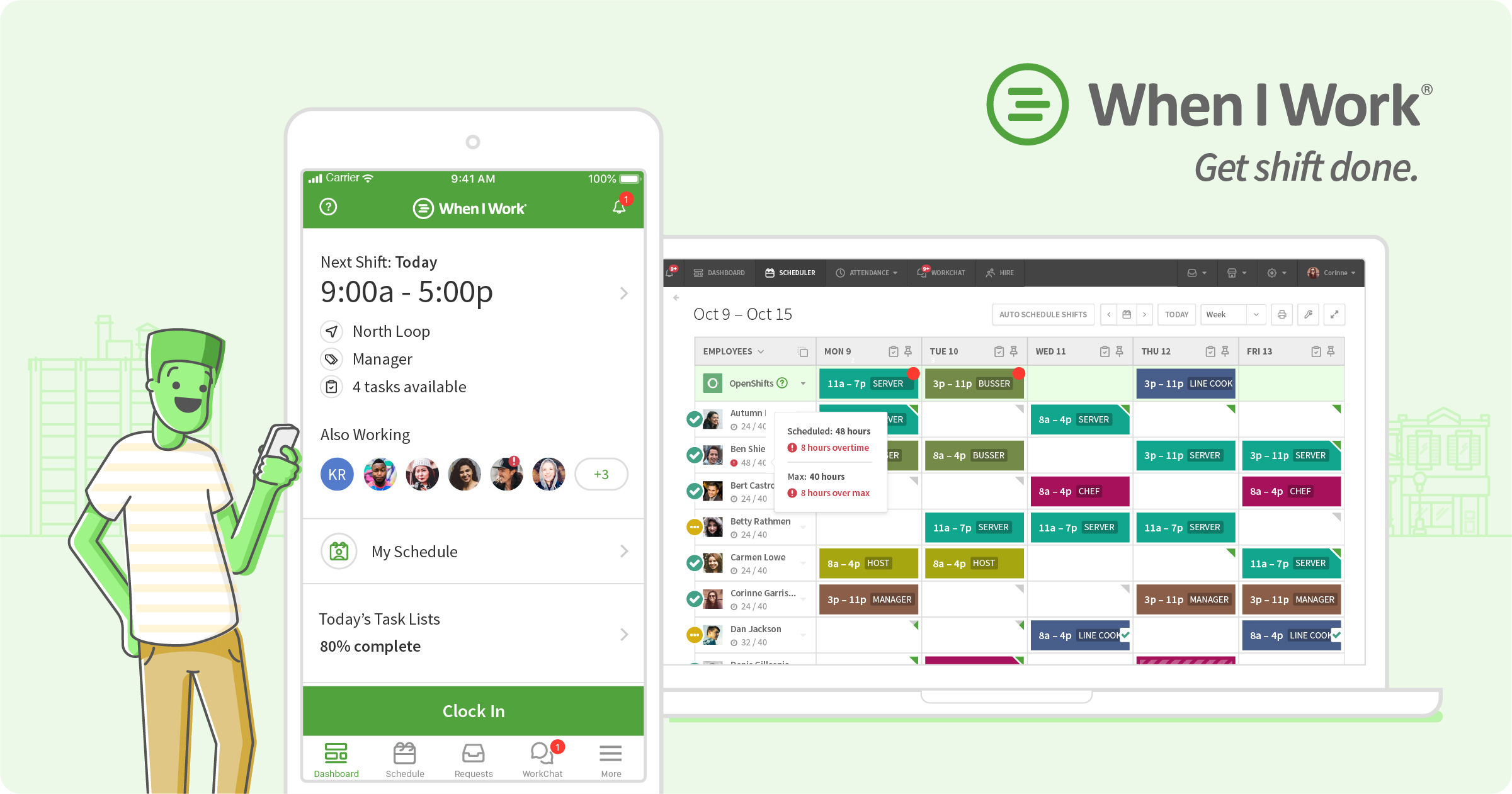
When I Work is the scheduler a shift business buys when the rota is the problem and the bill should follow headcount. Every plan is priced per person, so the cost moves with each hire rather than with each address.
This review sets Essentials, Pro and Premium next to Deputy, Homebase, Sling and Connecteam, with each price read on the vendor's own pricing page on 10 October 2026.
Toolradar data: When I Work averages 4.3 out of 5 across 1,736 reviews on G2, Capterra, TrustRadius and Trustpilot, last checked 17 September 2026. Its Toolradar page files it under time tracking, team chat and HR and recruiting.
How we compared: the list price per user, what each tier bundles, whether a free plan or trial exists, and whether the vendor's own pages agree on the number.
What is When I Work?
When I Work is shift scheduling, team messaging and time tracking for hourly staff, sold per user. The vendor's FAQ says every plan includes employee scheduling, time and attendance software, and team messaging, so the entry price is not a bare rota.
It is not a payroll system or an HR file. The vendor lists payroll and POS integrations on Essentials, which connects your pay run and sales data, but the pay run itself still happens in the payroll product you already use.
Essentials covers unlimited users, auto scheduling, multi-week and multi-location scheduling, schedule templates, forecast tools, OpenShifts, shift swapping, live chat and the payroll and POS links. Pro adds scheduling rules, role permissions, labor sharing, custom reporting and staff callout reporting within 24 hours.
Premium adds API key access, webhooks and SAML or SSO sign-in, which matters when the rota must connect to other company systems.
The pricing page also shows a time and attendance toggle with no price beside it. The FAQ says time and attendance is included on every plan, so the prices in this review assume it is included. For the HR file and benefits side, the startup HR guide is the better starting point.
How When I Work works
Start with the 14-day trial, which the vendor describes as simplified scheduling, time tracking and messaging, with no credit card. There is no permanent free tier, so after the trial the team either pays for a plan or leaves.
Plan changes are self-serve. The FAQ says you can switch between plans, add or reduce seats, or cancel at any time, with no contracts or hidden fees. Read that as a month-to-month exit rather than a commitment you can get stuck in.
Billing is monthly or annual, but the pricing page prints no annual figure for any tier. The annual saving is a quote you have to request, and the prices on this page are per-user monthly rates.
Multi-site teams should check one more thing before they sign. The FAQ, on the same page as the plan list, quotes a higher per-user rate for multi-location businesses. Raise that rate on the sales call, and keep the entry rate out of the budget until a rep confirms which one applies.
When I Work key features
When I Work pricing
Use the monthly per-user list prices as the ceiling, because the pricing page prints no annual figure. The saving for a yearly term is a quote you have to request. The number that moves the bill most is the FAQ's single-location rate against the higher multi-location rate.
At list price, a 10-person single-site team pays $25 a month on Essentials, $50 on Pro and $80 on Premium, or $300, $600 and $960 a year. A 25-person team pays $750, $1,500 and $2,400 a year. A 50-person team pays $1,500, $3,000 and $4,800.
If the multi-location rate applies, the 10-person team on Essentials pays $600 a year, the same as a 10-person team on Pro at the single-site rate. Put the written rate in the sales call before you approve a second location.
Older third-party reviews still quote a $1.50 to $2 per-user time add-on from before the vendor said time and attendance comes with every plan. The table leaves that add-on out, so check the toggle on the first invoice.
Free and cheap rivals change the math for a small crew. Sling's free plan covers up to 30 users, Connecteam's Small Business plan covers up to 10, and Deputy's Lite plan carries a monthly minimum per invoice. Deputy's pricing page prints its figures excluding taxes, so compare the pre-tax bill, and its trial length is not printed. Deputy and Connecteam each have a Toolradar listing: Deputy and Connecteam.
| Plan | Price | Best for |
|---|---|---|
| When I Work Essentials | $2.50/user/mo | Unlimited users, auto scheduling, shift swaps, OpenShifts, team messaging, payroll and POS links |
| When I Work Pro | $5/user/mo | Scheduling rules, role permissions, labor sharing, custom reporting |
| When I Work Premium | $8/user/mo | Pro plus API key access, webhooks and SAML or SSO sign-in |
| When I Work trial | Free for 14 days | No credit card; scheduling, time tracking and messaging |
| Deputy Core | $6.50/user/mo | Adds auto-scheduling, micro-scheduling, demand forecasting and biometric clocking |
| Sling Free | Free | Up to 30 users with shift scheduling, time-off requests and private messaging |
| Homebase Essentials | $30/location/mo | Unlimited employees at one address; Basic is free for one location and 10 employees |
| Connecteam Operations Basic | $29/mo yearly | GPS time clock and open-shift scheduling for the first 30 users; $35 month to month |
When I Work pros and cons
What we like
- Essentials gives unlimited users, auto scheduling, shift swaps and OpenShifts at the entry rate.
- Team messaging sits inside the scheduler, so swap requests stop living in a separate text thread.
- The 14-day trial needs no credit card, and the FAQ says plans can change or cancel at any time with no contracts.
What could be better
- The FAQ quotes a higher per-user rate for multi-location businesses, which can double the bill for a two-site team.
- No free plan: a six-person crew pays $15 a month on Essentials at list price once the trial ends.
Who When I Work is for
When I Work fits a shift business that wants scheduling, swaps and messaging at a low per-user rate, and that runs one site or can confirm the multi-site price in writing. A cafe, shop or clinic with 10 to 40 staff fits the model well.
Pick Essentials for a rota that mostly needs to run. Pick Pro when managers need scheduling rules, role permissions, labor sharing or custom reports. Pick Premium only when the company needs API access, webhooks or SAML sign-in.
Skip it if you need a free plan for good, or if the whole payroll and HR file must sit in one tool. Homebase, Connecteam and Sling each price the rota differently, and the comparison above shows where each one wins.
Do not buy on the entry rate alone until the multi-site rate is confirmed. A chain of quiet shops can cost twice the headline.
Best When I Work alternatives
If When I Work is not the right fit, these are the closest options.
| Tool | Best for | Starts at | |
|---|---|---|---|
| When I Work | Shift teams that want per-person scheduling, swaps and messaging at a low entry rate. | From $2.50 per user/mo on Essentials to $8 on Premium | Visit → |
| Deputy | Hourly teams that want labor rules and automated scheduling, and will pay per person for them. | Lite $5, Core $6.50, Pro $9 per user/mo, taxes excluded | Visit → |
| Homebase | One hourly location that will grow past 10 staff without a per-person line. | Basic free for one location and 10 employees | Visit → |
| Sling | Teams up to 30 people that want a free scheduler and can live without labor cost tools. | Free for up to 30 users | Visit → |
| Connecteam | Deskless crews that stay under 10 users free, or want one 30-user hub with a GPS clock. | Free for up to 10 users | Visit → |


The bottom line
Buy When I Work when the team is hourly, the rota is the real problem, and the rate for your site count is confirmed in writing. Essentials, the entry tier, is the point most small teams should price first.
Price Pro when managers need rules and role permissions, and Premium only for the API, webhooks or SAML. Pass when you need a free plan for good, when the whole HR file must live in one product, or when several sites would pay the higher multi-location rate for every user.
The shift scheduling roundup and the Homebase review show the per-location alternative.
Cite this: HRpresso, "When I Work Review 2026", October 2026.
Frequently asked questions
Is When I Work worth it in 2026?
How much does When I Work cost?
Does When I Work have a free plan?
Does When I Work include time tracking?
Can you cancel When I Work at any time?
Sources
Prices and plan details come from each vendor's own pricing page, re-checked by the Toolradar pricing tracker.
- When I Work pricingchecked Sep 2026
- Deputy pricingchecked Sep 2026
- Homebase pricingchecked Sep 2026
- Connecteam pricingchecked Sep 2026
Some offers on this page may be paid placements or contain affiliate links.
More HRpresso reviews
Buyer guides and software reviews, with prices read from each vendor's own pricing page.
Browse all reviews