
Square Payroll vs OnPay 2026: Cost and Features
Compare Square Payroll and OnPay for employee pay, contractor-only payroll, timecards and multi-state filing in 2026.
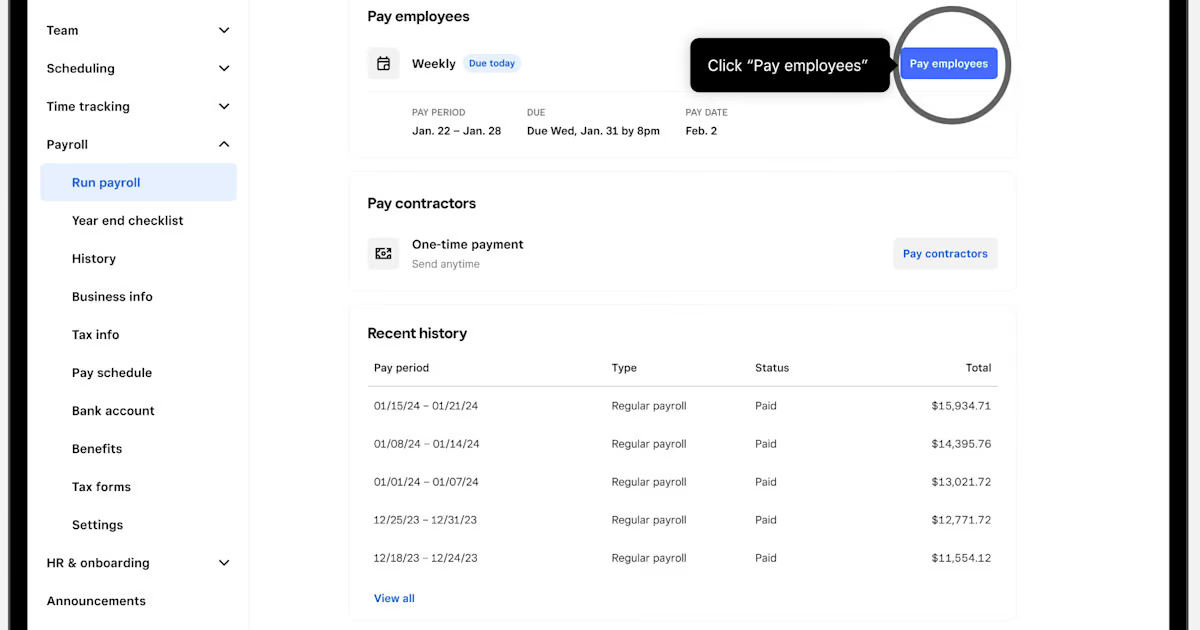
Square Payroll costs less on the published base fee: its full-service plan is $35 per month plus $6 per person paid, compared with OnPay's $49 plus $6 per worker. Pick Square if your team uses Square timecards or needs contractor-only payroll. Pick OnPay if its included hiring tools and support fit your workflow.
The figures are US list prices checked October 2026 on Square's payroll pricing page and OnPay's pricing page, both read on October 28. Employer payroll taxes, optional products, promotional offers and third-party fees are outside the estimates. Confirm your actual quote before changing payroll providers.
Toolradar data: Our HR and recruiting directory reports 534 tools evaluated, checked on October 28, 2026. This is a broad HR software category, not a count of payroll providers; the comparison here covers two US payroll products.
At a glance
| Question | Square Payroll | OnPay Payroll Essentials |
|---|---|---|
| Full-service monthly price | $35 base plus $6 per person paid | $49 base plus $6 per worker |
| Contractor-only plan | $6 per contractor paid, no stated base | Essentials covers W-2 and 1099 workers |
| Payroll tax service | Automated federal and state tax payments and filings | Federal, state and local tax filings and payments |
| Multiple states | Included in full service | Included in Essentials |
| Pay runs | Unlimited | Unlimited |
| Time workflow | Imports timecards from Square POS or Team App | Time tracking is a separately priced product |
The two prices may look close at a glance, but the decision is about the work around payroll: how hours are approved, which data migrates, who answers a tax notice and whether you also need HR or scheduling. A quote should describe those workflows, not just a base rate.
Full-service cost by headcount
The following examples assume Square pays each person in the month and that OnPay bills for the same number of workers. Each total includes the recurring base and worker fees only. Confirm with OnPay exactly which workers it counts for billing.
| Workers in example | Square Payroll | OnPay Essentials |
|---|---|---|
| 1 | $41 | $55 |
| 5 | $65 | $79 |
| 10 | $95 | $109 |
| 25 | $185 | $199 |
| 50 | $335 | $349 |
Because both stated rates add six dollars per person in these examples, the base-fee difference remains $14 when the same number is billed by each provider. Over 12 months with the same count and unchanged rates, that is $168 before tax, add-ons or discounts. This comparison says nothing about differences in the value of each product's included service.
OnPay lists employee self-onboarding, new-hire reporting and e-signatures for specified forms in Payroll Essentials. Its broader HR product and time tracking are separate. Square lists self-onboarding and timecard imports among its payroll features. Ask each vendor to demonstrate the precise steps your administrators and employees will use.
Read our OnPay review and restaurant HR software guide for product context, then check current vendor pages. Payroll software rates may change, and an older review should not be treated as a current quote.
Contractors and mixed workforces
Square lists a contractor-only payroll option at six dollars per person paid per month. Its page contrasts that option with full service: automatic payroll and several employee payroll features sit on the full-service side. If an organization pays four contractors and no employees, the listed contractor-only formula produces $24 for a month in which all four are paid, before optional fees and tax.
The distinction matters if a business later hires employees. The contractor-only plan is not a substitute for an employee payroll setup with payroll tax filings. Ask Square when and how the account must move to full service, and how prior payments and year-end forms are handled across the change.
OnPay Essentials lists both W-2 and 1099 workers in the same base plan. Its pricing page lists a per-worker charge. A buyer should ask which workers OnPay counts for billing, including those paid off-cycle, and whether any ancillary service changes the invoice.
Contractor verdict: Square has a separately priced contractor-only option. OnPay provides a single Essentials plan that includes both worker types. Compare the product that matches the actual classification and payment schedule, not just the lowest base price.
Payroll taxes and multiple states
Both vendors list multistate payroll on their full employee payroll products, but the scope of tax registrations and notices matters as much as the plan label. Square's page lists automated federal and state payroll tax payments and filings; OnPay lists federal, state and local filings and payments. Confirm the treatment of your specific local jurisdictions and registration process directly with each provider, because inclusion in a plan does not establish that every historical issue or unusual filing is handled without an extra charge.
Square says multiple tax jurisdiction support applies where payroll is processed. OnPay says its base payroll plan includes multi-state coverage. For a business that hires remotely, provide both vendors with the states and localities involved, the expected first pay date and any existing tax accounts. Ask who registers new accounts, who receives agency notices and what happens if a prior provider submits a correction.
The employer still needs accurate employee details and timely payroll approval. A full-service label is not a substitute for checking pay runs and reconciling payroll reports with the general ledger. If a worker changes state, update the vendor and the relevant internal records before the next run rather than assuming that a new location is configured automatically.
Tax verdict: Both list multi-state capability on full service. OnPay explicitly lists local tax filings on its plan page, while Square buyers should confirm the exact local jurisdictions they need. Compare implementation responsibilities before choosing.
Timecards, tips and scheduling
Square lists timecard imports from Square POS or the Square Team App, direct-tip tracking and import, and scheduling up to 10 days out on full-service payroll. For a restaurant already recording hours and tips in Square, an integrated flow may reduce the number of systems in which an administrator has to reconcile employee hours. That is a workflow consideration, not a measured time saving.
OnPay lists a separate Time Tracking product at $15 base plus $4 per worker per month. Its feature list includes time clocks, customizable overtime and break rules, supervisor approvals and synchronization of approved hours to payroll. For ten workers, the listed time-tracking formula adds $55 per month before any bundle pricing or eligibility limits. Adding that to payroll gives $164 per month for the same ten workers at the separately listed rates. This is an estimate, not a bundle quote.
Those products should not be assumed to have identical scheduling, tip handling or reporting. Ask for a demonstration using your actual pay rules and confirm which staff are counted for each product. OnPay advertises bundles, so the sum of individual prices may not be the amount offered for a combined purchase.
Time verdict: Square is worth evaluating first for a Square POS workflow. OnPay's separately priced time product may fit an employer that needs the specific approval and clock features listed, provided the total bundle price works. Our Homebase pricing guide and Deputy pricing guide offer more context on time and scheduling tools.
HR features and the total bill
OnPay lists employee self-service, specified onboarding forms, new-hire reporting and offer-letter e-signature in Payroll Essentials. Its separate HR add-on starts with a $15 monthly base plus $2 per worker and adds features such as custom onboarding workflows, equipment tracking and expanded documents. Compliance resources and live HR support are priced separately as well.
Square includes employee self-onboarding in its payroll feature matrix. Do not infer that every HR capability in one product is present in the other. List what your team uses today: offer letters, handbook distribution, leave requests, equipment tracking and reports. Then ask each vendor to mark which functions are included, which require another product and what that product costs.
Printed year-end forms are another budget item. Square lists digital delivery of W-2s and 1099s and an annual $3 fee per mailed form when paper delivery is selected. OnPay lists year-end forms in its base plan. Confirm delivery choices and any current mailing charge with the provider; do not multiply a paper fee into the budget if nobody has requested paper copies.
HR verdict: OnPay's plan page makes its payroll onboarding tools and separate HR add-on clear. Square's published matrix provides a practical list of payroll and timecard functions. The winner depends on the forms, reporting and employee workflows your team actually needs.
Who should choose which?
Choose Square if your business already runs its point-of-sale and timecards there, needs a contractor-only option, or wants the lower published full-service base fee. Test a complete pay period in a demo: approve hours and tips, move them into payroll and inspect how changes appear in reports.
Choose OnPay if the included payroll onboarding and tax support meet your requirements, especially when you want a single payroll plan for both employees and contractors. Price the HR and time features separately, then compare any bundle offered to the direct sum. Ask for a written statement of migration responsibilities before the next payroll deadline.
A business seeking broader alternatives can review our small-business payroll guide, payroll software overview, and Gusto vs OnPay comparison. The best HR software guide addresses a wider system-of-record decision. Toolradar also lists OnPay and Patriot Software, another payroll option.
How we compared
We read the two vendors' payroll pricing and feature pages on October 28, 2026. Scenarios multiply their displayed monthly base and per-worker prices; optional features are labelled separately. We did not run payroll, test either application or independently audit the vendors' service claims. Recheck current pricing, jurisdiction coverage and terms for your workforce before purchase.
FAQ
How much is Square Payroll for 10 paid employees?
The published full-service formula gives $95 per month for ten people paid: the base plus six dollars per person. Taxes and optional services are not included in that estimate.
How much is OnPay for 10 workers?
The listed Essentials formula gives $109 per month if OnPay bills for ten workers, before optional products and tax. Confirm its worker-counting rules and any bundle or offer directly with OnPay.
Does Square have contractor-only payroll?
Yes. Square lists a contractor-only option at six dollars per person paid monthly. Its feature matrix distinguishes that option from full-service employee payroll.
Do both offer multi-state payroll?
Both list multi-state capability on their full-service employee payroll plans. Confirm your specific states, local tax registrations and historical filing needs before switching.
Is OnPay time tracking included in the payroll base?
OnPay lists time tracking as an additional product with a separate base and per-worker charge. Bundles may change the combined price, so request the relevant total.
Can Square import timecards?
Square lists imports from Square POS and the Square Team App. Confirm how your business's existing clocks, tips and approvals map to the payroll workflow.
Cite this: HRpresso, "Square Payroll vs OnPay 2026: Cost and Features", October 2026.
Some offers on this page may be paid placements or contain affiliate links.
More HRpresso reviews
Buyer guides and software reviews, with prices read from each vendor's own pricing page.
Browse all reviews