
Shiftie Review
A tidy, flat-priced scheduling and time-clock tool built for UK shift teams in hospitality, retail and attractions, best once you pass about 30 staff.

Shiftie is staff scheduling and time-tracking software built for UK shift-based teams, and its headline is refreshing simplicity: one plan, every feature, £2.75 per employee per month. Scheduling, time clock, timesheets, leave, documents, messaging and reporting all come as standard, with no tiers gating the useful parts.
The catch is the floor. Billing is calculated on a 30-employee minimum, so you pay £82.50 a month even with 12 people. If you want deeper native payroll links or a larger app ecosystem, Deputy is the alternative to weigh first.
Key factsBest for: Hospitality, retail, leisure and attraction teams in the…
- Clean rota, time-clock and light HR software for shift teams, with every feature on one plan.
- Free plan: No, 28-day free trial
- Billing minimum: 30 employees (£82.50/mo)
- Alternatives covered: Deputy, RotaCloud, Planday, When I Work, Connecteam
Pros
- One plan, every feature: no tiers gating scheduling, time clock, timesheets, leave, messaging or reporting.
- Genuinely simple to set up and use, with a modern interface non-technical managers pick up fast.
- Fair active-user billing and a real 28-day trial with no card, so seasonal months are not overcharged.
Cons
- The 30-employee minimum (£82.50/mo floor) makes it expensive per head for teams under about 25.
- Short integration list: ticketing and one POS, but no native Xero, QuickBooks, Slack or major payroll sync.
- No built-in payroll and no advertised annual discount, so it is an operational layer, not a full HR suite.
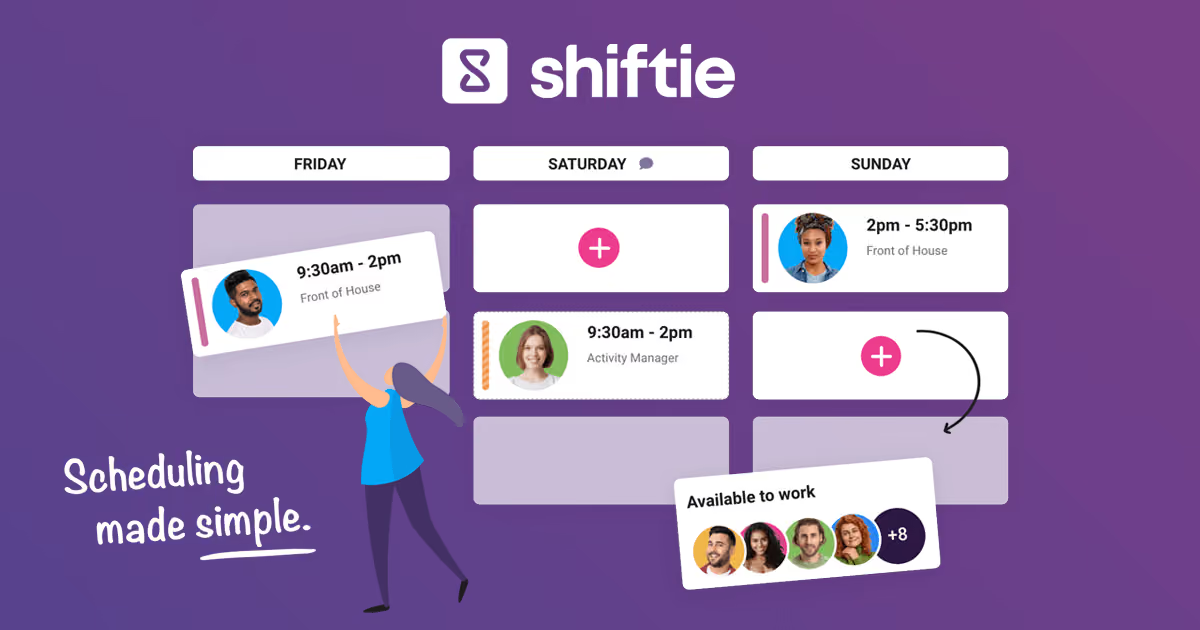
If you run a café, a visitor attraction or a mid-sized retail floor, the weekly rota is probably the single most annoying thing on your plate. Shiftie is a UK-built platform that tries to fix that, pairing drag-and-drop scheduling with a time clock, timesheets and light HR in one place. The pitch is not that it does more than everyone else, it is that it does the shift-work basics cleanly and charges one flat rate for every feature.
So the real question is not whether Shiftie can build a rota, because most tools can. It is whether the flat £2.75 per employee price and the 30-person billing floor add up for your team size, and whether its shorter integration list holds you back versus heavier names like Deputy or When I Work. This review works through the product, the day-to-day experience, the honest pricing math, and where a competitor fits your situation better.
What is Shiftie?
Shiftie is a cloud-based staff scheduling and workforce management platform aimed squarely at shift-based businesses: hospitality (restaurants, cafés, bars, nightclubs), retail, visitor attractions, leisure centres, hotels and healthcare settings like dental practices. It is a British product, and that shows in the details, from holiday-allowance handling to the language and the integration partners it picks.
At its core sit five things. Scheduling is the headline: a drag-and-drop rota builder with shift templates, open shifts staff can claim, shift swaps, conflict detection and grouping by role or department across multiple venues. The time clock adds mobile and portal clock-in with GPS-based restrictions and an on-site overview of who is currently working. Timesheets generate automatically from clocked hours, then flow through edit, review and approval before a payroll export. Leave and HR cover holiday allowances, absence tracking and a document store for policies and contracts. Team messaging handles bulk and targeted announcements, and reporting tracks labour cost against target hours.
What Shiftie is not is a full HRIS or payroll engine. It schedules and tracks time, then hands clean data to your payroll system rather than running payroll itself. Think of it as the operational layer between your staff and your back office.
How Shiftie works
Getting started is genuinely quick because there is only one plan to pick and a 28-day trial with no card required. You add venues, create roles and departments, import staff, then build your first week. The rota builder is where people spend most time, and it holds up: you drag shifts onto a grid, save common patterns as templates, and copy a week forward instead of rebuilding it. Open shifts let you post uncovered slots that employees claim from their phones, and conflict detection flags double-bookings and availability clashes before you publish.
Day to day, staff live in the mobile app: they check rotas, set availability, request leave, swap shifts and clock in and out. Managers get the on-site view of who is clocked in, approve timesheets, and export hours to payroll. The interface is clean and modern rather than dense, which shortens the learning curve for non-technical shift managers. The honest rough edge is that the integration list is short, with ticketing and one POS but no native Xero, QuickBooks, Slack or the big payroll platforms, so payroll is an export rather than a direct sync. Deeper connections lean on the API, which means developer time.
Shiftie key features
Shiftie pricing
Shiftie publishes one plan at £2.75 per employee per month, with every feature, unlimited 7-day support and a 28-day free trial with no card, and it has no Starter, Pro or Enterprise tier. You pay monthly for staff marked active the month before, on a 30-employee minimum, so the floor is £82.50 even with twelve people.
A 15-person team still pays the £82.50 floor, an effective £5.50 a head, 60 staff costs £165, and teams over 200 move to a custom quote with no advertised annual discount. Deputy, RotaCloud, Planday and When I Work publish starting points rather than firm quotes.
The lowest stated prices are Connecteam (free for up to 10 users), When I Work at $2.50 per user per month, and RotaCloud from £10 a month for up to five employees. Costs jump at Deputy Pro, $9 per user per month, and past Connecteam's first 30 users at $0.80 per extra user, per hub, on yearly billing.
| Plan | Price | Best for |
|---|---|---|
| Shiftie | £2.75/employee/mo, £82.50/mo floor | 30-employee minimum, every feature included |
| Shiftie (over 200 staff) | Custom quote | Custom pricing above 200 employees |
| Deputy Lite | $5/user/mo | Basic scheduling, timesheets and time clocking |
| Deputy Core | $6.50/user/mo | Adds auto-scheduling, forecasting and biometric clocking |
| Deputy Pro | $9/user/mo | Adds custom access levels, SSO and 24/7 live chat |
| Deputy Enterprise | Custom quote | Tailored plan through Deputy sales |
| RotaCloud Standard | £10/mo (1 to 5 employees) | Rota planning and leave; price rises by headcount band |
| RotaCloud Pro | £15/mo (1 to 5 employees) | Higher tier; time and attendance is an add-on on both plans |
| Planday Starter | £2.99/user/mo | Minimum 5 users; scheduling and simple time tracking |
| Planday Plus | £3.99/user/mo | Minimum 10 users; adds leave, integrations and API |
| When I Work Essentials | $2.50/user/mo | Pro and Premium add advanced scheduling, SSO and API |
| Connecteam (first 30 users) | $29/mo for 30 users, per hub | Operations Basic on yearly billing; $35 month to month |
| Connecteam (beyond 30 users) | $0.80/user beyond 30, per hub | Each extra user on the yearly Operations Basic rate |
Shiftie pros and cons
What we like
- One plan, every feature: no tiers gating scheduling, time clock, timesheets, leave, messaging or reporting.
- Genuinely simple to set up and use, with a modern interface non-technical managers pick up fast.
- Fair active-user billing and a real 28-day trial with no card, so seasonal months are not overcharged.
What could be better
- The 30-employee minimum (£82.50/mo floor) makes it expensive per head for teams under about 25.
- Short integration list: ticketing and one POS, but no native Xero, QuickBooks, Slack or major payroll sync.
- No built-in payroll and no advertised annual discount, so it is an operational layer, not a full HR suite.
Who Shiftie is for
Shiftie is a strong fit for UK shift-based businesses with roughly 30 to 200 staff across one or several sites: think a growing restaurant group, a visitor attraction, a leisure centre or a multi-store retailer. If you want clean scheduling, honest time tracking and light HR without decoding a tiered price sheet, the flat model is easy to budget and quick to roll out to non-technical managers.
It is a weaker fit for very small teams under about 15 people, who will feel the £82.50 floor as a steep per-head cost, and for companies that need payroll run inside the tool or deep native links to Xero, QuickBooks, Slack or a specific payroll provider. US-heavy operations that want a large app marketplace are better served by Deputy or When I Work. And if you are a micro café or single small store, Connecteam's free tier for up to 10 users, or RotaCloud, which starts at £10 a month for up to five employees, will cost less while covering the same rota basics.
Best Shiftie alternatives
If Shiftie is not the right fit, these are the closest options.
| Tool | Best for | Starts at | |
|---|---|---|---|
| Shiftie | Hospitality, retail, leisure and attraction teams in the UK, about 30 to 200 staff, that want one flat price. | From £2.75/employee/mo (30-employee minimum) | Visit → |
| Deputy | Larger multi-site teams that want scheduling, payroll links and a wide set of app connections. | From $5/user/mo (Lite) | Visit → |
| RotaCloud | Small and mid-size UK teams that want simple rota software without a high minimum bill. | From £10/mo (Standard, 1 to 5 employees), rising by headcount band | Visit → |
| Planday | Hospitality and retail teams in the UK and Europe, especially existing Xero users. | From £2.99/user/mo (Starter, 5-user minimum) | Visit → |
| When I Work | Small and mid businesses wanting a polished, mobile-first scheduling app. | From $2.50/user/mo (Essentials) | Visit → |
| Connecteam | Small teams that are not at a desk and want scheduling, chat and checklists, with a free start. | From $29/mo for the first 30 users (yearly) | Visit → |


The bottom line
Shiftie earns its place by doing the boring things well. For a UK shift business between about 30 and 200 staff, the flat £2.75 per employee model is honest and easy to budget, the rota and time-clock tools are clean, and the 28-day no-card trial lets you prove it before paying. If simplicity and a predictable bill matter more than a sprawling app marketplace, it is an easy tool to recommend.
The decision really comes down to size and integrations. Under roughly 25 staff, the £82.50 floor makes it dear per head, and RotaCloud or Connecteam's free tier will cost less for the same basics. If you need deep native payroll and POS links or you run large, multi-country operations, Deputy is the stronger platform, and When I Work is the better bet if a best-in-class mobile app tops your list. But for a straightforward UK operator who wants scheduling sorted without a pricing puzzle, Shiftie is a genuinely good pick.
Frequently asked questions
How much does Shiftie cost?
Is Shiftie worth it?
Does Shiftie have a free trial or free plan?
What are the best Shiftie alternatives?
Can Shiftie handle multiple locations and export to payroll?
Sources
Prices and plan details come from each vendor's own pricing page, re-checked by the Toolradar pricing tracker.
- Shiftie pricingchecked Sep 2026
- Deputy pricingchecked Sep 2026
- RotaCloud pricingchecked Sep 2026
- Planday pricingchecked Sep 2026
- When I Work pricingchecked Sep 2026
- Connecteam pricingchecked Sep 2026
Some offers on this page may be paid placements or contain affiliate links.
More HRpresso reviews
Buyer guides and software reviews, with prices read from each vendor's own pricing page.
Browse all reviews