
Insightful Review 2026: Employee Monitoring Priced per Seat
What Insightful's Analytics, Insights and Intelligence plans cost per recorded employee, how add-ons and the 50-seat minimum change the bill, and four monitoring tools to compare.

Insightful is a good pick for an HR or operations team that wants attendance, activity and project time data on remote staff for a low per-seat price. On its pricing page, checked November 10, 2026, the Analytics plan costs $8 per seat per month billed yearly or $10 billed monthly, and the monthly rate drops to the yearly level after six months.
The plans above it are built for large teams: Insights costs $24 per seat per month, paid yearly, with at least 50 seats, and Intelligence is quoted. Screenshot and recording add-ons are billed on every seat, so they change the bill more than the plan choice does.
Key factsBest for: Remote and hybrid teams that want attendance, activity and…
- Per-seat workforce analytics and monitoring that records activity, not messages, with paid add-ons for deeper capture.
- Entry plan: Analytics, with time and attendance, app and website use, screenshots and project time tracking
- What counts as a seat: Each employee whose work is recorded; admins, managers and clients are free unless they are tracked
- Upper plans: Insights is annual only with a 50-seat minimum; Intelligence is quoted
- Free trial: Analytics only, with no credit card, and tracking stops when the trial ends
Pros
- Managers, admins and clients need no seat unless their own work is recorded.
- Analytics bundles attendance, screenshots, 11 reports and project time tracking.
- Monthly billing drops to the yearly rate after six months.
Cons
- Any add-on is billed on every seat, so one screen recording need raises the whole bill.
- Insights needs 50 seats on a yearly contract, out of reach for small teams.
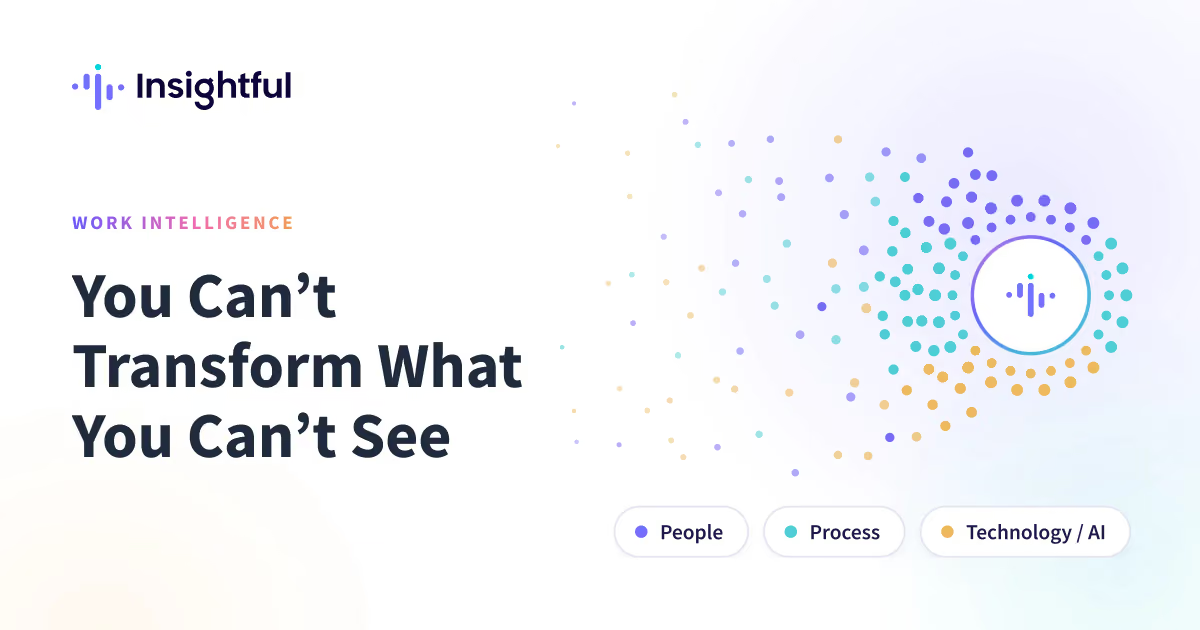
Insightful is workforce analytics and employee monitoring software. A desktop agent records attendance, active and idle time, app and website use and, if you switch them on, screenshots, then turns that into reports on capacity, workload and project time. The company now sells it as "work intelligence" with AI chat and process maps on the upper plans, but most small buyers will use the monitoring and time tracking core.
This review is for HR, people ops and operations leads deciding whether to roll Insightful out to remote or hybrid staff. It covers what each plan costs per seat, what a 25-person team pays in a year, which add-ons quietly raise the bill, how the lineup changed since 2025 and which four tools to compare. Prices come from Insightful's pricing page and its billing help articles, read on November 10, 2026. Tracking accuracy is not scored here.
Toolradar data: of the 115 time tracking tools in the catalog of Toolradar, the software directory we run, half offer a free plan, and the median verified entry price for tools billed per user is $7 per user per month, as of November 5, 2026 (peer data). Insightful has no free plan, and its yearly entry rate sits just above that median.
What is Insightful?
Insightful runs on Windows, macOS, Linux, virtual desktops such as Citrix, and shared workstations. Once installed, it clocks people in and out automatically, captures breaks, tracks time on projects and tasks, and categorizes apps and sites as productive or not, so managers see where hours go without asking for timesheets.
Every plan includes SOC 2 Type II coverage, unlimited admin and manager accounts, an MCP server for AI tools, and a rule that no messages or documents are captured. Screenshots are part of Analytics and can be blurred; screen recording is a separate, opt-in add-on. For HR, that means the base product records activity and attendance rather than content, which is easier to explain in a written monitoring policy.
How Insightful works
You pay for recorded people, not logins. Insightful counts a seat for each employee whose work it records, however many computers that person uses. Managers, admins and clients who only read reports need no seat, so a 30-person team with five managers who are not tracked pays for 25.
Billing length sets the rate. Analytics is 20% cheaper on yearly billing. A team that pays monthly starts at the higher rate, and the pricing FAQ says it falls to the yearly level after six months, which softens the cost of starting month to month while you test the rollout.
Headcount changes are prorated. On yearly billing, the billing help article says new seats are invoiced pro rata once the amount owed passes $200, and removed seats become a credit on the next annual invoice rather than a refund. Seasonal teams should expect to carry unused seats until renewal.
Upper plans start with an audit. Insights and Intelligence begin with a Work Audit: Insightful collects data from one department and shows first findings within two weeks. Only the seats moved to Insights count toward its 50-seat minimum, so one department can sit on Insights while everyone else stays on Analytics.
Insightful key features
Insightful pricing
All prices were read on November 10, 2026 on Insightful's pricing page. They exclude sales tax, which US customers see at checkout based on the billing address.
A 25-person team pays $2,400 a year on Analytics with yearly billing. That is 25 seats at the yearly rate for 12 months, our arithmetic. Paying monthly, the same team pays the higher rate for six months and the yearly rate after that, $2,700 in the first year, also our arithmetic. Either way the price is low for the category: the per-seat rate covers attendance, activity, screenshots and project time in one plan.
Add-ons cover every seat. Workspace Security, on-demand screenshots and screen recording are $4 per seat per month each, more frequent screenshots (up to 120 an hour) are $3, and a BigQuery or Snowflake feed is $0.50. The page says each add-on follows the plan's billing cycle and covers every seat, so turning on screen recording for one investigation adds half of the Analytics yearly rate to every employee's line, a 50% increase for the whole team.
Insights has a high floor. At the 50-seat minimum, Insights costs $14,400 a year, our arithmetic, before any add-on. That rules it out for most small companies; the realistic path is Analytics everywhere and Insights for one large department.
The lineup changed in November 2026. A November 14, 2025 snapshot of the pricing page showed Productivity Management at $6.40 per seat per month billed yearly, Time Tracking at $8.00 and Process Improvement at $12.00 for teams over 50 users. A November 3, 2026 snapshot still listed Workforce Analytics, Workflow Optimization and a Combo plan. Today's Analytics bundles monitoring with project time tracking at the old Time Tracking rate, so a team that only wanted monitoring pays 25% more than a year ago, our arithmetic, and a team that wanted both pays the same.
| Plan | Price | Best for |
|---|---|---|
| Analytics | $8/seat/mo billed yearly; $10/seat/mo billed monthly, falling to the yearly rate after six months | Time and attendance, app, website and AI tool use, screenshots, capacity reports, project and task time; free trial |
| Insights | $24/seat/mo, annual only, 50-seat minimum | Everything in Analytics plus People Intelligence: workload balance, work patterns, custom reports, AI chat |
| Intelligence | Custom quote, annual only | Everything in Insights plus Process Intelligence: process maps, automation recommendations, before-and-after results |
| Add-on: Workspace Security | $4/seat/mo | Insider threat detection, alerts on unapproved apps and AI, activity logs, SSO and audit logs |
| Add-on: Screen Recording | $4/seat/mo | Record and play back screen activity, opt-in only |
| Add-on: On-Demand Screenshots | $4/seat/mo | Capture a screenshot when a manager requests it, with privacy controls |
| Add-on: Increased Frequency Screenshots | $3/seat/mo | Up to 120 screenshots an hour, with privacy controls |
| Add-on: Data Warehouse Integrations | $0.50/seat/mo | Sends Insightful data to BigQuery or Snowflake, plus custom API access |
Insightful pros and cons
What we like
- Managers, admins and clients need no seat unless their own work is recorded.
- Analytics bundles attendance, screenshots, 11 reports and project time tracking.
- Monthly billing drops to the yearly rate after six months.
What could be better
- Any add-on is billed on every seat, so one screen recording need raises the whole bill.
- Insights needs 50 seats on a yearly contract, out of reach for small teams.
Who Insightful is for
Insightful fits a small or mid-size remote or hybrid company that needs attendance proof, project hours and workload data, and wants one agent instead of a time tracker plus a monitoring tool. BPOs, agencies and support teams that bill clients by the hour get the most from pairing activity data with project time. Because managers and admins are free, it also suits flat teams with many reviewers.
Skip it if you want a free plan for a handful of people, if your staff work in the field rather than at a computer (a GPS time clock fits better), or if you mainly need payroll and scheduling, where Hubstaff goes further. Before rollout, write down what is tracked and who sees it: our HRIS for remote teams ranking covers the systems that hold that policy.
Best Insightful alternatives
If Insightful is not the right fit, these are the closest options.
| Tool | Best for | Starts at | |
|---|---|---|---|
| Insightful | Remote and hybrid teams that want attendance, activity and project time from one agent | Analytics $8/seat/mo billed yearly or $10 monthly | Visit → |
| Hubstaff | Teams that want time tracking tied to payroll, invoicing and scheduling | Team $10/mo per seat | Visit → |
| ActivTrak | Companies that want a free starting point and workforce analytics without screenshots on day one | Free plan · Work Activity Tracking $10/mo per employee on the annual p | Visit → |
| Time Doctor | Teams that want monitoring plus payroll-ready timesheets in a tiered plan | Basic $6.67/mo per user on the annual plan · Standard $11.67/mo per us | Visit → |
| Teramind | Security and compliance teams that need insider-risk monitoring and data loss prevention | Starter, UAM and DLP priced per seat | Visit → |


The bottom line
Insightful is worth it for a remote or hybrid team that wants attendance, activity and project hours on one cheap seat, as long as you keep add-ons off by default. Analytics on yearly billing is the plan almost every small or mid-size team needs; monthly billing is a fair way to start because the rate falls after six months. Treat Insights as a department-level purchase, and budget any add-on as a whole-company cost.
Compare the field in best time tracking software and best time clock software. For Hubstaff, read the Hubstaff review, Hubstaff alternatives and Hubstaff pricing; for lighter trackers, the TimeCamp review and Clockify review. The AI people analytics tools ranking and the HR software pricing index place monitoring next to the rest of the HR stack. Toolradar keeps profiles of Hubstaff, ActivTrak and Time Doctor.
Methodology: plan prices, add-ons, seat rules and billing terms were read on November 10, 2026 on Insightful's pricing page and billing help articles, and on the pricing pages of Hubstaff, ActivTrak, Time Doctor and Teramind. Past prices come from dated Wayback Machine copies of Insightful's own pricing page. Team totals are our arithmetic on printed per-seat prices, before tax. No rating on this page is our own.
Cite this: HRpresso, 'Insightful Review 2026: Employee Monitoring Priced per Seat', November 2026.
Frequently asked questions
Is Insightful a good employee monitoring tool in 2026?
How much does Insightful cost per seat?
Does Insightful have a free trial or free plan?
Who counts as a seat in Insightful?
What do Insightful add-ons cost?
Insightful vs Hubstaff: which is cheaper?
Some offers on this page may be paid placements or contain affiliate links.
More HRpresso reviews
Buyer guides and software reviews, with prices read from each vendor's own pricing page.
Browse all reviews